
Installation
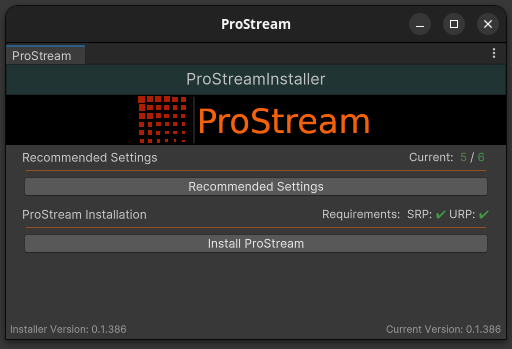
Upon first importing the ProStream package, the ProStream Installer will appear. For optimal performance use the settings described in the Recommended Project Settings.
These settings can be automatically applied in the Recommended Settings window of the installer.
If an appropriate SRP (URP/HDRP) is installed, you can press the Install ProStream button to begin the installation.
Why an Installer?
ProStream is designed to be installed as a package in order to ensure proper dependency installation and management and will not show up in your Assets/ folder.
The purpose of the installer is to ensure that the package is installed to the correct location and that the necessary dependencies are installed.
TIP
The installer can also be accessed by navigating to Tools > instance.id > ProStream > (Install/Update) ProStream